 NexAIX-官方博客
Integrating DeepSeek API does not require rewriting existing code—you can use the OpenAI-compatible interface. You only need to check six items: the model identifier, context and output budget, reasoning mode and tool call responses, call format, billing, and error code troubleshooting. On August 13, 2026, DeepSeek-V4-Pro GA was officially launched (deepseek-v4-pro-0813), with native support for the Responses API. Starting August 16, off-peak pricing was reduced by 50%, making it necessary to re-verify your configuration.
Here's a quick overview of the six-item checklist, with details in the body:
| Check Item | Key Action | Notes |
|---|---|---|
| model identifier | Use the specific version deepseek-v4-pro-0813 | Aliases may change |
| Context and output budget | Reserve output limit, then calculate input | 1M is a shared window |
| Reasoning mode and tool calls | Return tool_call_id and paired messages | Multi-turn concatenation is error-prone |
| Call format | Choose Chat Completions or Responses as needed | No need to force migration |
| Billing | Cache hit/miss + time-based coefficient | Off-peak 50% discount, check official times |
| Error code troubleshooting | Categorize 400/404/429 | Start with minimal reproduction |
Conclusion: Just Check These 6 Items to Integrate DeepSeek API
1.6T total parameters, 49B activated parameters, 1M context, reasoning mode and tool calls, native Responses support—these are the points that actually matter at the configuration level after this GA. Whether you're integrating from scratch or migrating from an old preview endpoint, you should go through all six items below.
Check 1: What to Fill in the model Parameter—Alias or Specific Version?
The model parameter should be placed in the configuration layer, not scattered across code. The confirmed identifier in the data package/official announcement is deepseek-v4-pro-0813. If the official docs also provide a version alias, here's a comparison of the two approaches.
| Approach | Use Case | Risk |
|---|---|---|
| Specific version (e.g., deepseek-v4-pro-0813) | Production chain, requires stable and reproducible behavior | Manual changes needed for upgrades |
| Version alias | Experimental chain, wants to auto-follow latest capabilities | Behavior may change; availability and target of aliases depend on current official docs |
After switching, verify that the model field in the response matches your request to ensure the target model is actually used. This is especially important when integrating multiple endpoints—for example, NexAIX publicly commits that the model field in the response corresponds to the actual model executed, so your validation script can assert this directly. The deprecation timeline for old aliases has not been officially announced; refer to the current model list in official docs.
Check 2: How to Budget the 1M Context—How Much Input Fits Without Squeezing Output?
The 1M context window is a shared budget for input and output, not something you can fill blindly. Here's a suggested method:
- Reserve the output limit based on the worst case (refer to official model page for specifics);
- Subtract the output reservation from the total window to get the input quota;
- Leave an additional 5%-10% buffer for templates and tool descriptions to prevent overflow.
For long documents, you can choose among truncation, chunking, or retrieval. Truncation loses tail information, chunking can work with multiple calls, and retrieval introduces extra components. The actual amount you can fit depends on your output reservation and tool description length, so you need to self-test based on your business. For a comparison of these three approaches, see Long-context API selection.
Check 3: Multi-turn Tool Call Returns—Which Fields Must Be Returned As Is?
In multi-turn conversations, the tool call structure and tool_call_id in assistant messages must be paired with the tool response messages. Whether to include reasoning content in the next request depends on the official docs for that field. The tool call structure and parameters must be preserved exactly, or the model cannot continue execution. The exact field names and structure per the official API docs; for general multi-turn concatenation patterns, see Tool Call API.
Here's a minimal multi-turn loop skeleton (how the message array grows):
- User message
- Assistant message (with tool_calls, each with an id and parameters)
- Tool message (role=tool, with tool_call_id and result)
- Then a user or assistant message to continue
For parallel tool calls, the order of tool response messages must match the order of tool calls.
Check 4: Chat Completions or Responses—How to Choose and Conservative Migration Path
V4 Pro natively supports the Responses API, but existing systems don't need to switch immediately. Here's a decision guide:
| Scenario | Recommended Format | Reason |
|---|---|---|
| Need server-side session state | Responses | Simplifies state management |
| Mature Chat Completions middleware | Don't switch now | High change risk |
| Multiple endpoints, same request body | Chat Completions | Better compatibility |
Conservative migration path: First, pilot Responses on a new chain while keeping Chat Completions on the old chain, running the same test cases to compare output structure differences. For related migration, see Migrating from OpenAI API to Responses.
Check 5: Billing—How to Calculate with Cache Hits and Off-Peak Windows
For DeepSeek API cost calculation, the methodology matters more than specific numbers. The weighted unit price = input unit price (distinguishing cache hit/miss) multiplied by input volume + output unit price multiplied by output volume, then multiplied by the time-based coefficient.
The 50% off-peak discount effective from August 16, 2026, means batch processing, offline evaluation, log summarization, and other schedulable tasks are worth scheduling into off-peak windows. But online interactions shouldn't sacrifice experience for this. For the exact off-peak start/end times, time zone, and unit prices, refer to the official pricing page; this article does not provide numbers.
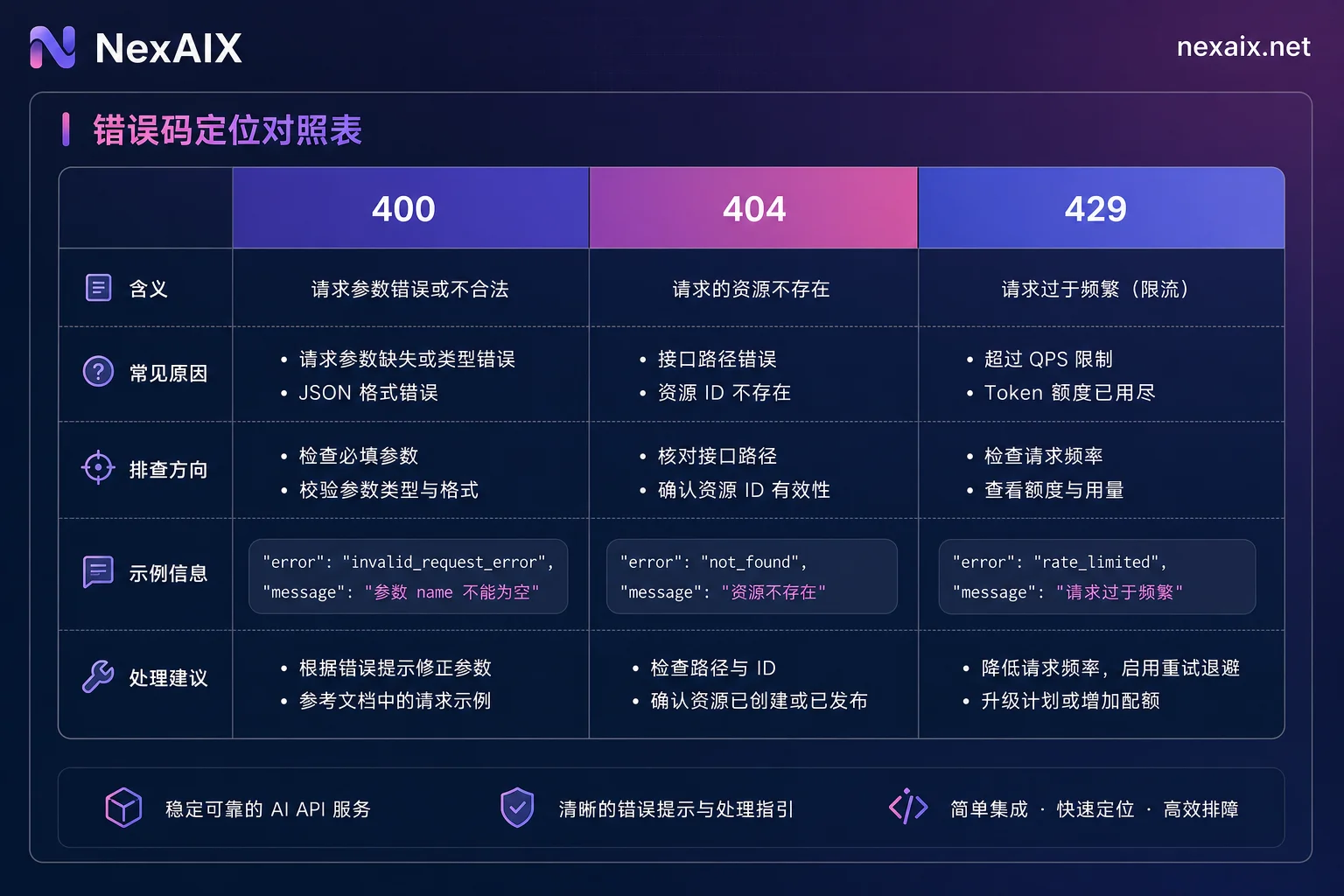
Check 6: Error Code Troubleshooting—400 for Request Body, 404 for model, 429 for Backoff
| Symptom | Most Likely Cause | First Step |
|---|---|---|
| 400 Bad Request | Parameter or message structure issue (missing tool message pairing, wrong field type) | Reproduce with minimal request, add fields back one by one |
| 404 / model not found | Misspelled version alias, mismatch between endpoint and model | Check model identifier, confirm endpoint supports the model |
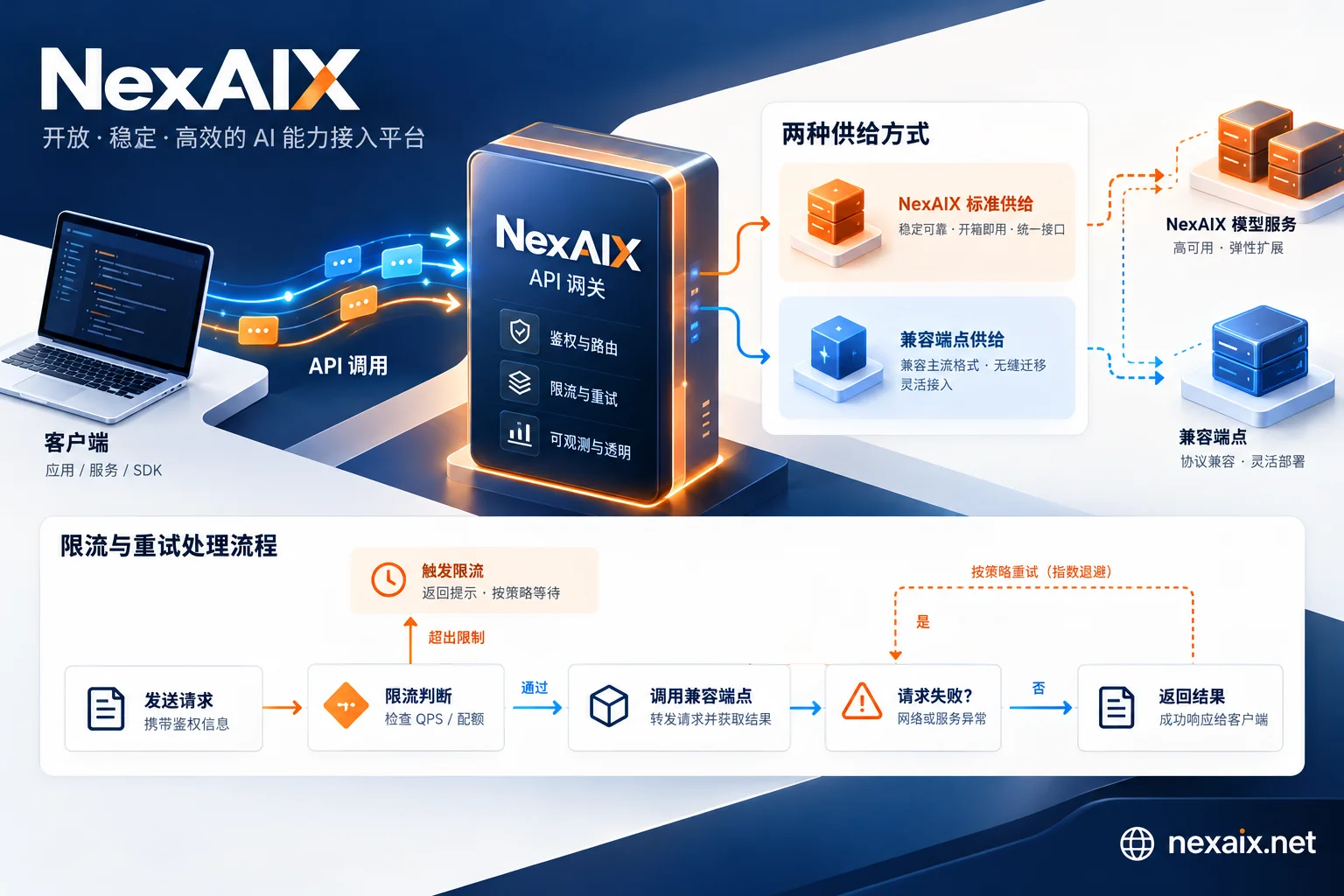
| 429 Too Many Requests | Concurrency limit exceeded | Exponential backoff with jitter, check concurrency limit |
When troubleshooting, first reproduce with a minimal request, then add fields gradually. Also, ensure that the service provider returns standard 429 with retry suggestions when at capacity, rather than silently swapping to a cheaper model.
Officially Confirmed vs. Must Self-Test: Only You Can Benchmark These Three Metrics
Officially confirmed DeepSeek API specs include: 1.6T total parameters, 49B activated parameters, 1M context, reasoning mode and tool calls, native Responses API support, and time-based pricing. SiliconFlow and Fireworks AI have also launched endpoints with the same name; Fireworks claims low cost and zero refusal rates on SWE-bench and CyberGym, but since deployments and scheduling differ across platforms, performance conclusions from one platform should not be extrapolated to another.
Items you must self-test: first token latency, concurrent throughput under long context, and stability of long-chain tool calls—these can only be benchmarked on your own business data.
Regression Checklist and Minimal Reproduction Script Ideas After Integration
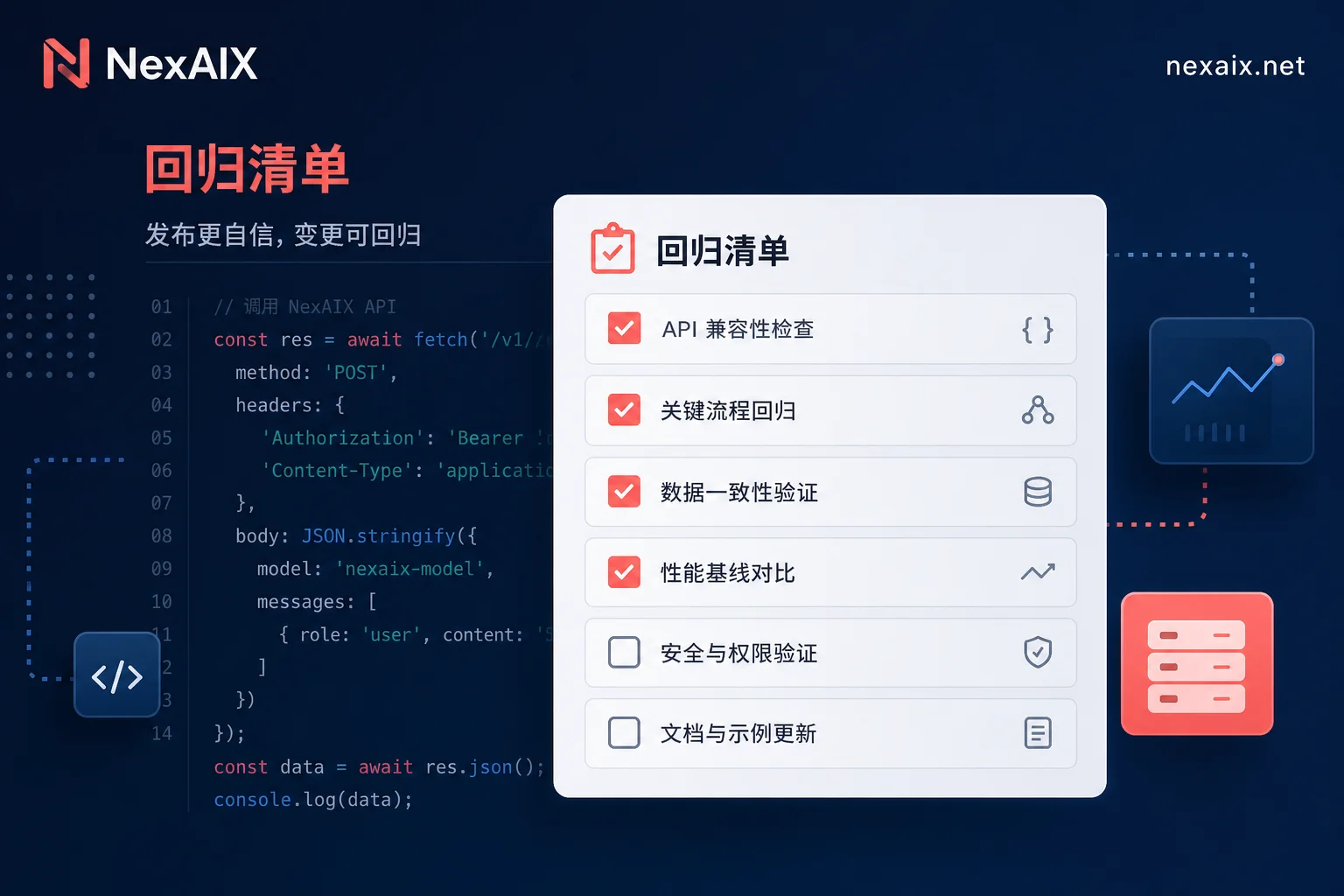
After switching to DeepSeek API endpoints, run the following regression items with fixed inputs and parameters, saving results for diffing across versions:
- [ ] Single-turn non-streaming request
- [ ] Streaming chunks and interruption recovery
- [ ] Single tool call
- [ ] Parallel tool calls
- [ ] Very long input truncation
- [ ] 429 backoff logic
- [ ] Timeout retry idempotency
- [ ] Response model field validation
The same OpenAI-compatible code can be used for multi-endpoint comparison by only changing base_url and model. For example, on NexAIX's https://api.nexaix.net/v1, run it with test credits; refer to official model and pricing pages for specifics.
FAQ
What should the model parameter be?
For production, use the specific version deepseek-v4-pro-0813; for experimental, you can use a version alias. Always verify that the model field in the response matches your request to avoid executing a non-target model. Refer to official docs for the current list.
How to call deepseek-v4-pro-0813?
Call it in an OpenAI-compatible way: set base_url and api_key, fill model with deepseek-v4-pro-0813, and make a request. See How to change OpenAI base_url.
Why does DeepSeek API report model not found?
Usually a misspelled model identifier, mismatch between endpoint and model, or the endpoint not supporting that model. Check the spelling first, then test with a minimal request to confirm endpoint support.
Does DeepSeek API support the Responses API?
Yes, V4 Pro natively supports it. Existing systems can pilot it without forcing a switch; run the same test cases on both to compare output differences.
How to pass tool call parameters?
Via the messages array: assistant messages have tool_calls, tool response messages have tool_call_id to pair. For parallel calls, the order must match; field details per official docs.
How much content can the 1M context actually hold?
It depends on output reservation and tool description length. Reserve the output limit first, calculate input quota, and leave 5%-10% buffer. The actual usable amount requires self-testing. See the official model page for the output limit.


Comments(0)